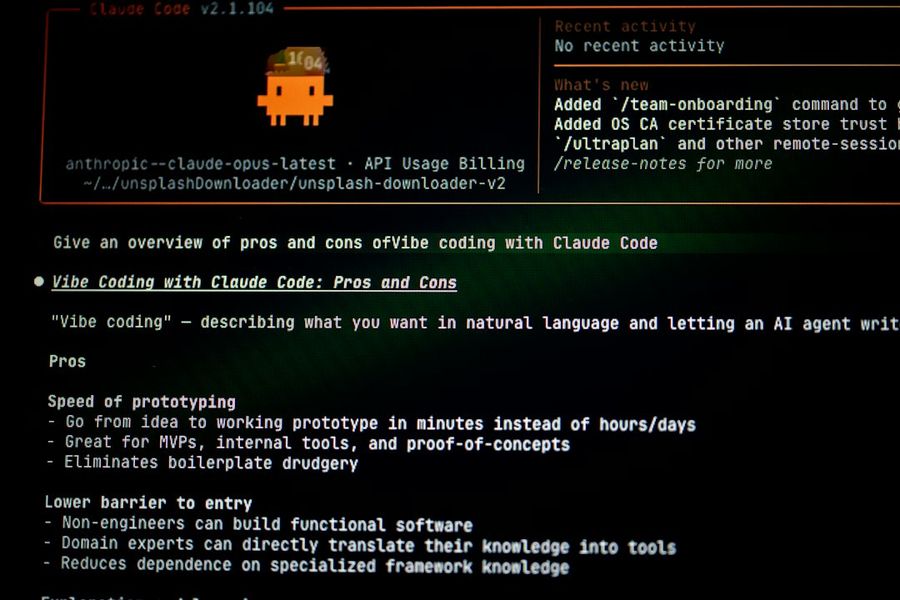
Large language models (LLMs) like GPT‑3, Llama 2, or Mistral have revolutionized natural‑language processing, but their out‑of‑the‑box capabilities rarely match a niche business requirement. Fine‑tuning lets you adapt a pre‑trained model to your specific data, language, or style while preserving the massive knowledge it already holds. This guide walks you through the entire pipeline—from environment setup to deployment—using open‑source tools such as Hugging Face Transformers, PEFT, and Accelerate. By the end, you’ll be able to launch a custom LLM that answers domain‑specific questions, generates code snippets, or powers a chatbot tailored to your audience.
What You’ll Need
- A GPU‑enabled machine (at least 1 × NVIDIA A100 40 GB or comparable)
- Python 3.9 or newer
- Basic familiarity with Git and virtual environments
- Access to a Hugging Face account (free tier is sufficient for most experiments)
- A labeled dataset in JSONL or CSV format
Step 1: Set Up Your Environment
Start by isolating dependencies in a virtual environment. Open a terminal and run:
python -m venv venv
source venv/bin/activate  # macOS/Linux
venvScriptsactivate     # Windows
Install the core libraries:
pip install --upgrade pip
pip install transformers datasets accelerate peft bitsandbytes
Optionally, install deepspeed for multi‑GPU scaling:
pip install deepspeedLog in to Hugging Face so you can push models later:
huggingface-cli loginEnter your token when prompted. This step also caches model weights locally, reducing download time.
Step 2: Choose a Base Model
Select a model that balances capability and resource constraints. For most custom‑task scenarios, Llama‑2‑7B‑Chat or Mistral‑7B‑Instruct are solid choices. Pull the model with:
from transformers import AutoModelForCausalLM, AutoTokenizer
model_name = "meta-llama/Llama-2-7b-chat-hf"
tokenizer = AutoTokenizer.from_pretrained(model_name, use_fast=True)
model = AutoModelForCausalLM.from_pretrained(
    model_name,
    device_map="auto",
    torch_dtype="auto",
    load_in_8bit=True  # saves VRAM, requires bitsandbytes
)
Setting load_in_8bit=True reduces memory usage dramatically, enabling fine‑tuning on a single 24 GB GPU.
Step 3: Prepare Your Dataset
The quality of your fine‑tuned model hinges on clean, well‑structured data. For instruction‑following tasks, format each example as a {"instruction":..., "input":..., "output":...} JSON object. Here’s a quick script to convert a CSV to the required JSONL:
import pandas as pd, json
df = pd.read_csv("my_data.csv")
records = []
for _, row in df.iterrows():
    records.append({
        "instruction": row["question"],
        "input": row.get("context", ""),
        "output": row["answer"]
    })
with open("dataset.jsonl", "w", encoding="utf-8") as f:
    for rec in records:
        f.write(json.dumps(rec) + "n")
Upload the JSONL to the Hugging Face hub (or keep it local) so the datasets library can stream it efficiently:
from datasets import load_dataset
ds = load_dataset("json", data_files="dataset.jsonl", split="train")
Optionally, split into train/validation:
ds = ds.train_test_split(test_size=0.1)
train_ds = ds["train"]
val_ds = ds["test"]
Step 4: Configure Training Parameters
Fine‑tuning LLMs is sensitive to learning‑rate schedules and batch sizes. Using PEFT (Parameter‑Efficient Fine‑Tuning) with LoRA is the industry‑standard for low‑resource setups. Define a peft_config:
from peft import LoraConfig, get_peft_model
peft_config = LoraConfig(
    r=64,
    lora_alpha=16,
    target_modules=["q_proj", "v_proj"],
    lora_dropout=0.05,
    bias="none",
    task_type="CAUSAL_LM"
)
model = get_peft_model(model, peft_config)
Next, create an Accelerator config that enables mixed precision (fp16) and gradient accumulation to simulate larger batch sizes:
from accelerate import Accelerator
accelerator = Accelerator(fp16=True)
Wrap the model, optimizer, and dataloaders:
from torch.utils.data import DataLoader
train_loader = DataLoader(train_ds, batch_size=4, shuffle=True, collate_fn=lambda x: tokenizer.pad(x, return_tensors="pt"))
val_loader = DataLoader(val_ds, batch_size=4, collate_fn=lambda x: tokenizer.pad(x, return_tensors="pt"))
optimizer = torch.optim.AdamW(model.parameters(), lr=2e-4, weight_decay=0.01)
model, optimizer, train_loader, val_loader = accelerator.prepare(
    model, optimizer, train_loader, val_loader
)
These settings typically converge within 2‑3 epochs for a few thousand examples.
Step 5: Run the Fine‑Tuning Job
Now launch the training loop. Save checkpoints every epoch to avoid losing progress:
import torch, os
num_epochs = 3
output_dir = "./fine_tuned_llm"
os.makedirs(output_dir, exist_ok=True)
for epoch in range(num_epochs):
    model.train()
    for step, batch in enumerate(train_loader):
        outputs = model(**batch, labels=batch["input_ids"])
        loss = outputs.loss / accelerator.gradient_accumulation_steps
        accelerator.backward(loss)
        if step % accelerator.gradient_accumulation_steps == 0:
            optimizer.step()
            optimizer.zero_grad()
    # Validation
    model.eval()
    val_loss = 0
    with torch.no_grad():
        for batch in val_loader:
            outputs = model(**batch, labels=batch["input_ids"])
            val_loss += outputs.loss.item()
    avg_val_loss = val_loss / len(val_loader)
    print(f"Epoch {epoch+1}/{num_epochs} – Val loss: {avg_val_loss:.4f}")
    # Save checkpoint
    accelerator.wait_for_everyone()
    unwrapped_model = accelerator.unwrap_model(model)
    unwrapped_model.save_pretrained(os.path.join(output_dir, f"checkpoint-{epoch}"), safe_serialization=True)
    tokenizer.save_pretrained(os.path.join(output_dir, f"checkpoint-{epoch}"))
For larger clusters, replace the loop with accelerate launch or deepspeed scripts to distribute training automatically.
Step 6: Validate and Deploy the Model
After training, run a quick inference test to ensure the model follows your instruction format:
from transformers import pipeline
pipe = pipeline("text-generation", model=output_dir, tokenizer=tokenizer, device=0)
prompt = "nn### Instruction:nSummarize the key points of the article about fine‑tuning LLMs.nn### Response:n"
print(pipe(prompt, max_new_tokens=150, do_sample=True, temperature=0.7)[0]["generated_text"][len(prompt):])
If the output looks satisfactory, push the model to the Hugging Face hub for serving:
from huggingface_hub import HfApi
api = HfApi()
api.upload_folder(
    folder_path=output_dir,
    path_in_repo=".",
    repo_id="your-username/custom-llm-finetuned",
    repo_type="model",
    commit_message="Add fine‑tuned checkpoint"
)
Finally, enable the Inference API or spin up an vLLM endpoint for low‑latency production.
Common Mistakes to Avoid
1 Training on the full model instead of LoRA. Without parameter‑efficient methods you’ll quickly run out of VRAM.
2 Using an unbalanced dataset. Over‑representing one class leads to biased generations.
3 Neglecting validation loss. Relying solely on training loss hides over‑fitting.
4 Hard‑coding learning rates. A rate that’s too high (>5e‑4) can destabilize the loss curve.
5 Forgetting to set torch_dtype="auto" or load_in_8bit. This causes unnecessary GPU memory consumption and may crash the run.
Tips and Tricks
• Gradient checkpointing reduces memory by recomputing activations: model.gradient_checkpointing_enable().
• Use accelerate config to generate a accelerate_config.yaml that stores your hardware profile, making future runs reproducible.
• When fine‑tuning on a domain with jargon, prepend a short “domain‑prompt” to every instruction to bias the model.
• Log metrics to wandb or tensorboard for visual monitoring.
• After deployment, implement prompt‑engineering wrappers that enforce safety filters.
Frequently Asked Questions
Do I need a paid Hugging Face plan to fine‑tune LLMs?
No. The free tier provides unlimited public model pushes and enough compute credits for small experiments. For large‑scale training you may need paid GPU instances on AWS, GCP, or Azure.
Can I fine‑tune a model larger than my GPU memory?
Yes. Techniques like 8‑bit quantization, LoRA, and gradient checkpointing let you fine‑tune 30 B‑parameter models on a single 24 GB GPU, albeit with longer training times.
How many epochs are typically required?
For a few thousand high‑quality examples, 2‑4 epochs usually suffice. Monitor validation loss; stop early if it plateaus or starts rising.
Conclusion
Fine‑tuning large language models transforms generic AI into a precision instrument for your unique use‑case. By following the steps above—setting up a reproducible environment, selecting an appropriate base model, preparing clean data, leveraging LoRA with Accelerate, and validating before deployment—you can create a robust, domain‑aware LLM without the need for massive compute budgets. Remember to watch out for common pitfalls, experiment with the tips, and iterate based on real‑world feedback. With these practices in place, you’ll be ready to unlock the full potential of LLMs for any custom task.
Photo by Bernd 📷 Dittrich on Unsplash