
Serverless computing lets you run code without worrying about servers, scaling, or patching. AWS Lambda is the flagship service in this space, and Python is one of its most popular runtimes. In this guide we’ll walk through every step required to create a Python Lambda function, package it with the AWS Serverless Application Model (SAM), hook it up to an API Gateway trigger, and verify that it works. By the end you’ll have a production‑ready function you can extend or integrate into larger architectures.
What You'll Need
- An active AWS account with permission to create IAM roles, Lambda functions, and API Gateway resources.
- A local development environment (Linux, macOS, or Windows Subsystem for Linux) with Python 3.9 or newer installed.
- AWS Command Line Interface (CLI) version 2.
- AWS SAM CLI (the Serverless Application Model command‑line tool).
- A text editor or IDE you’re comfortable with (VS Code, PyCharm, etc.).
Step 1: Create an AWS Account and IAM Role
If you don’t already have an AWS account, sign up at aws.amazon.com. Once logged in, navigate to the IAM console and create a new role for Lambda. Choose Lambda as the trusted entity, then attach the managed policies AWSLambdaBasicExecutionRole (provides CloudWatch Logs permissions) and any additional policies your function will need (for example, AmazonS3ReadOnlyAccess if you’ll read from S3). Give the role a clear name such as lambda-python-basic-role. Remember the ARN – you’ll reference it later.
Step 2: Install and Configure AWS CLI
Open a terminal and install the AWS CLI if it isn’t already present:
curl "https://awscli.amazonaws.com/awscli-exe-linux-x86_64.zip" -o "awscliv2.zip"
unzip awscliv2.zip
sudo ./aws/install
Verify the installation:
aws --version
Configure your credentials (access key, secret key, default region, and output format):
aws configure
Make sure the region you select matches where you intend to deploy the function (e.g., us-east-1). You can always override the region later with the --region flag.
Step 3: Write Your Python Function
Create a new project folder and add a file named app.py. Paste the following simple handler that returns a JSON greeting:
import json

def lambda_handler(event, context):
    name = event.get('queryStringParameters', {}).get('name', 'World')
    return {
        'statusCode': 200,
        'headers': {'Content-Type': 'application/json'},
        'body': json.dumps({'message': f'Hello, {name}!'})
    }
This function expects an API Gateway proxy event, extracts a name query parameter, and returns a friendly message. Save the file.
Step 4: Package and Deploy with AWS SAM
Install the SAM CLI (Linux example):
brew install aws/tap/aws-sam-cli   # macOS with Homebrew
# or for Linux
curl -Lo sam-installation.zip https://github.com/aws/aws-sam-cli/releases/latest/download/aws-sam-cli-linux-x86_64.zip
unzip sam-installation.zip -d sam-installation
sudo ./sam-installation/install
Initialize a SAM project inside your folder:
sam init --runtime python3.9 --name lambda-python-demo --dependency-manager pip --app-template hello-world
The command scaffolds a template.yaml file. Replace the generated app.lambda_handler reference with the path to your app.lambda_handler function, and point the role ARN to the one you created earlier:
Resources:
  HelloWorldFunction:
    Type: AWS::Serverless::Function
    Properties:
      CodeUri: ./
      Handler: app.lambda_handler
      Runtime: python3.9
      Role: arn:aws:iam::123456789012:role/lambda-python-basic-role
      Events:
        Api:
          Type: Api
          Properties:
            Path: /hello
            Method: get
Build the application (this installs dependencies into a .aws-sam folder):
sam build
Deploy it to your AWS account. The first deployment will prompt you for a stack name, region, and whether you want SAM to create an IAM role for you (choose “no” because you already supplied one). Accept the defaults for everything else:
sam deploy --guided
When the wizard finishes, note the API endpoint that SAM prints – you’ll use it to test the function.
Step 5: Test the Lambda Function
Open a browser or use curl to call the endpoint:
curl "https://xxxxxxx.execute-api.us-east-1.amazonaws.com/Prod/hello?name=Teknozof"
You should see a JSON response similar to:
{"message": "Hello, Teknozof!"}
If the response is 200 but the message is missing, double‑check the query‑string handling in app.py. If you get a 502 or 500 error, head to the CloudWatch Logs console, locate the log group /aws/lambda/HelloWorldFunction, and inspect the latest log stream for stack traces.
Step 6: Set Up Triggers (API Gateway)
While the SAM template already created a simple HTTP GET trigger, you might want more sophisticated routing or CORS support. Open the API Gateway console, find the API created by SAM (its name ends with -api), and edit the /hello resource. Enable CORS by selecting “Enable CORS” from the Actions menu – SAM will add the necessary Access-Control-Allow-Origin header. For POST requests, add a new method, point it to the same Lambda function, and update the template.yaml accordingly:
Events:
  ApiPost:
    Type: Api
    Properties:
      Path: /hello
      Method: post
Re‑run sam build and sam deploy to push the changes.
Step 7: Monitor and Log with CloudWatch
AWS automatically streams Lambda logs to CloudWatch, but you can add custom metrics for deeper insight. Edit app.py to publish a custom metric each time the function runs:
import boto3
cloudwatch = boto3.client('cloudwatch')

def lambda_handler(event, context):
    # Existing logic …
    cloudwatch.put_metric_data(
        Namespace='MyLambdaMetrics',
        MetricData=[
            {
                'MetricName': 'Invocations',
                'Value': 1,
                'Unit': 'Count'
            },
        ]
    )
    return response
Deploy the updated code, then open the CloudWatch console, select “Metrics”, and look under the MyLambdaMetrics namespace. You can create dashboards or set alarms (e.g., trigger an SNS alert if errors exceed a threshold).
Common Mistakes to Avoid
1. Using the wrong IAM role. If the role lacks AWSLambdaBasicExecutionRole, the function will fail to write logs, making debugging painful.
2. Forgetting to zip dependencies. SAM handles this, but a manual aws lambda update-function-code without packaging can omit required libraries.
3. Mismatched Python runtimes. Deploying code written for 3.9 to a 3.8 runtime will cause import errors.
4. Hard‑coding region or account IDs. Use environment variables or SAM parameters to keep your template portable.
5. Neglecting timeout settings. The default 3‑second timeout is insufficient for network calls; increase it in template.yaml if needed.
Tips and Tricks
• Local testing. Use sam local invoke with an event JSON file to run the function on your laptop before pushing to AWS.
• Layer reuse. If multiple Lambdas need the same third‑party packages (e.g., requests), bundle them into a Lambda Layer to reduce deployment size.
• Versioning. Enable Publish: true in the SAM resource to automatically create a new version on each deployment; you can then use aliases for “dev”, “staging”, and “prod”.
• Environment variables. Store configuration such as database URLs or API keys in the Lambda console or via SAM Environment section, never hard‑code secrets.
• Cold start mitigation. Keep the deployment package small and avoid heavy imports at the top level; import modules inside the handler if they’re only needed for specific code paths.
Frequently Asked Questions
Do I need to pay for AWS Lambda?
Lambda offers a free tier of 1 million requests and 400,000 GB‑seconds per month. Beyond that you pay per request ($0.20 per million) and per execution duration (rounded to 1 ms). For low‑traffic APIs the cost is often negligible.
Can I use other Python versions?
Yes. AWS currently supports Python 3.8, 3.9, and 3.11. Choose the runtime that matches your local development environment to avoid compatibility surprises.
How do I handle large payloads?
If your function needs to process files larger than 6 MB (the synchronous payload limit), upload the file to S3 first and pass the S3 object key in the event. The Lambda can then stream the file from S3.
Conclusion
Setting up a serverless Python function on AWS Lambda is straightforward once you have the right tooling and a clear deployment workflow. By following the steps above—creating a secure IAM role, configuring the AWS CLI, writing clean Python code, packaging with SAM, and testing end‑to‑end—you’ll be equipped to build scalable, cost‑effective back‑ends without ever managing a server. Remember to monitor with CloudWatch, respect best‑practice security, and iterate on your function as your application grows. Happy coding!
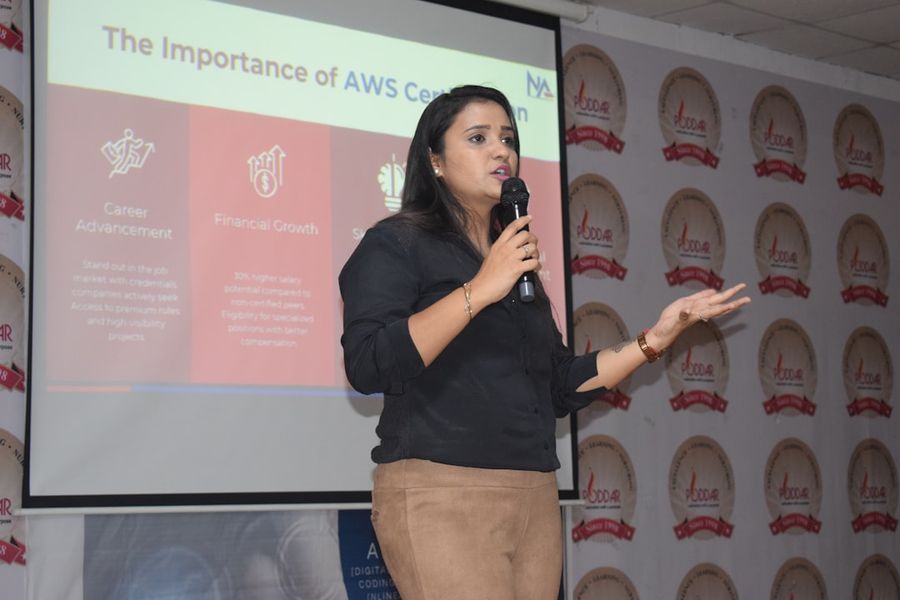
Photo by Poddar Group of Institutions on Unsplash


