
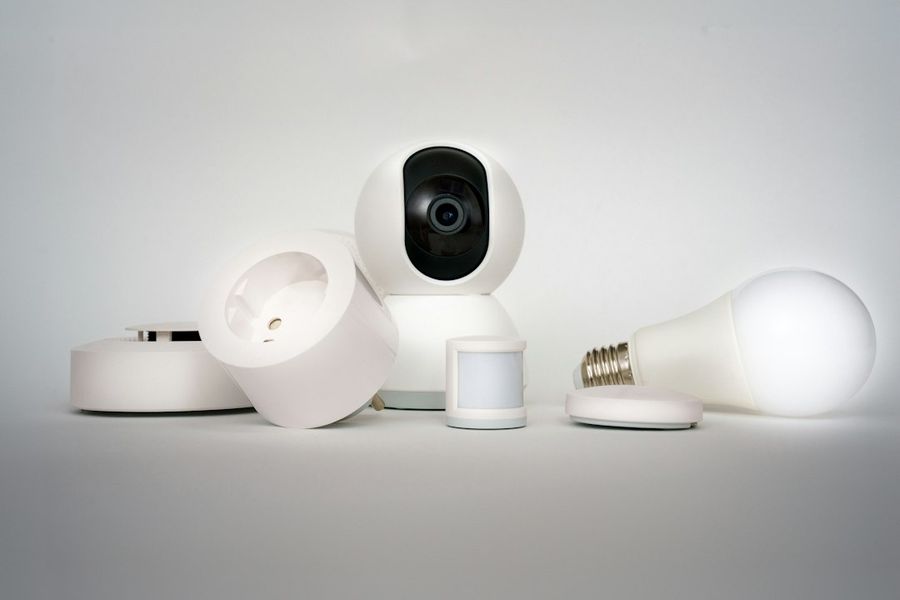
Smart speakers, thermostats, security cameras, and even connected light bulbs have turned every home into a miniature data hub. While convenience is a huge win, each connected device also opens a potential doorway for cyber‑criminals. This guide walks you through the essential steps to lock down your IoT ecosystem without sacrificing usability. By the end, you’ll have a hardened home network that keeps hackers at bay while your gadgets keep humming.
What You’ll Need
- A router with admin access (preferably supporting VLANs or guest networks)
- Computer or smartphone for configuration
- Firmware updates for each IoT device (downloaded from the vendor)
- Basic knowledge of your router’s CLI or web UI
- Optional: A Raspberry Pi or dedicated firewall appliance for advanced segmentation
Step 1: Inventory and Firmware Update
Before you can protect anything, you need to know what you’re protecting. Log into each device’s companion app or web interface and note the model, MAC address, and current firmware version. Then, visit the manufacturer’s support page and download the latest firmware. Most devices allow a manual upload via their settings menu; for example, on a TP‑Link Kasa plug, go to Settings → Firmware Update → Manual Upload and select the .bin file you downloaded. Apply the update, reboot the device, and repeat for every IoT gadget in your home.
Step 2: Change Default Credentials and Enable Strong Authentication
Many IoT devices ship with generic usernames and passwords (admin/admin, root/root). Attackers scan the internet for these defaults and gain instant access. Replace them with a unique, complex password—at least 12 characters mixing upper‑case, lower‑case, numbers, and symbols. If the device supports two‑factor authentication (2FA), enable it. For devices that only allow a password change through a web UI, navigate to Security → Password. Example command for a Linux‑based camera via SSH:passwd
Step 3: Segregate IoT Devices onto a Dedicated Network
Isolation is the single most effective defense. Create a separate SSID (e.g., Home‑IoT) or a VLAN if your router supports it. Assign a distinct IP range, such as 192.168.100.0/24, and disable inter‑VLAN routing to keep IoT traffic from reaching your personal devices. On a typical Asus router, go to Advanced Settings → LAN → DHCP Server → Add and define the new subnet. Then, under Wireless → Professional → Guest Network, enable the guest SSID, set the same subnet, and turn off “Access Intranet”. Connect all IoT gadgets only to this isolated network.
Step 4: Harden the Router and Enforce Strict Firewall Rules
The router is the gatekeeper. First, change its admin password and, if possible, move the admin interface to a non‑standard port (e.g., 8443). Disable WPS, UPnP, and remote management unless you absolutely need them. Next, set up firewall rules that block inbound traffic to IoT IPs from the internet. For OpenWrt users, add a rule like:iptables -I INPUT -s 0.0.0.0/0 -d 192.168.100.0/24 -j DROP
Then, allow only outbound connections on necessary ports (typically 80, 443, and the vendor’s cloud ports). Save and apply the configuration, then test with an external port‑scan service such as Shodan to verify the devices are not publicly reachable.
Step 5: Enable Network‑Level Encryption and Continuous Monitoring
Even on a segregated network, encrypting traffic adds a layer of protection. If your router supports WPA3, enable it for the IoT SSID. For devices that only support WPA2‑PSK, use a strong pre‑shared key. Additionally, set up a simple monitoring solution—many routers provide traffic logs, but a Raspberry Pi running Pi-hole or Suricata can give you real‑time alerts when an unknown IP contacts a device. Example command to install Suricata on Debian‑based Pi:sudo apt-get update && sudo apt-get install suricata
Configure it to monitor the IoT VLAN interface and forward alerts to your phone via a webhook.
Common Mistakes to Avoid
1. Leaving default passwords unchanged. Even a single device with default creds can become the pivot point for a full‑network breach.
2. Connecting IoT gadgets to the main Wi‑Fi. This defeats isolation and allows malware to hop onto your personal devices.
3. Disabling automatic firmware updates. Manual updates are fine, but turning off OTA updates without a replacement schedule leaves devices exposed.
4. Opening all ports for convenience. Broad “allow all” firewall rules undo the hardening you just performed.
5. Neglecting to rename SSIDs. Generic names like “IoT_Network” give attackers clues about your setup.
Tips and Tricks
• Use a password manager to generate and store unique passwords for each device.
• If your router supports DNS‑based content filtering, block known malicious domains (e.g., malwaredomainlist.com) to stop compromised devices from contacting command‑and‑control servers.
• Schedule a monthly “security audit”: run nmap -sP 192.168.100.0/24 to verify only expected devices are online.
• Consider a dedicated hardware firewall like the Ubiquiti UniFi Dream Machine for granular control without deep CLI work.
• When buying new IoT gear, prioritize vendors that publish regular security patches and support TLS/SSL encryption.
Frequently Asked Questions
Can I secure IoT devices without a separate network?
Yes, but isolation dramatically reduces risk. If you can’t create a VLAN, at least use the router’s guest network feature and apply strict firewall rules to block inbound traffic.
Do I need to change DNS settings for each device?
Not necessarily. Setting the router’s DNS to a privacy‑focused provider (e.g., Cloudflare 1.1.1.1) or to a local Pi‑hole will affect all devices on that subnet, including IoT gadgets.
What if a device doesn’t receive firmware updates?
Older or abandoned devices are a liability. If you can’t patch them, either place them on a highly restricted VLAN with no internet access or consider replacing them with a newer, supported model.
Conclusion
Securing IoT devices is less about a single magic setting and more about layering defenses: keep firmware current, enforce strong authentication, isolate traffic, lock down the router, and stay vigilant with monitoring. By following the steps above, you’ll transform your smart home from a potential backdoor into a robust, privacy‑respecting environment—without losing any of the convenience that made you love IoT in the first place.
Photo by Jakub Żerdzicki on Unsplash