
Welcome to our guide on setting up a home network using a router and switch. In this article, we will walk you through the process of creating a secure and efficient home network, perfect for browsing, streaming, and online gaming. Whether you’re a tech-savvy individual or a beginner, this guide will provide you with the necessary steps to get your home network up and running in no time.
What You’ll Need
- A router (wired or wireless)
- A switch (optional)
- Ethernet cables
- A computer or mobile device
- Power supply for the router and switch
Step 1: Unbox and Physically Install Your Router
Start by unboxing your router and placing it in a central location in your home. Connect the power cord to the router and plug it into a nearby power outlet. Next, connect your modem to the router using an Ethernet cable. Make sure the modem is turned on and functioning properly.
Step 2: Configure Your Router’s Settings
Open a web browser on your computer or mobile device and type the router’s IP address (usually 192.168.0.1 or 192.168.1.1). Log in to the router using the default admin username and password (usually printed on the underside of the router or in the manual). Change the admin username and password to something secure. Set up your wireless network by creating a network name (SSID) and password. Choose a secure encryption method, such as WPA2.
Step 3: Connect Your Devices to the Network
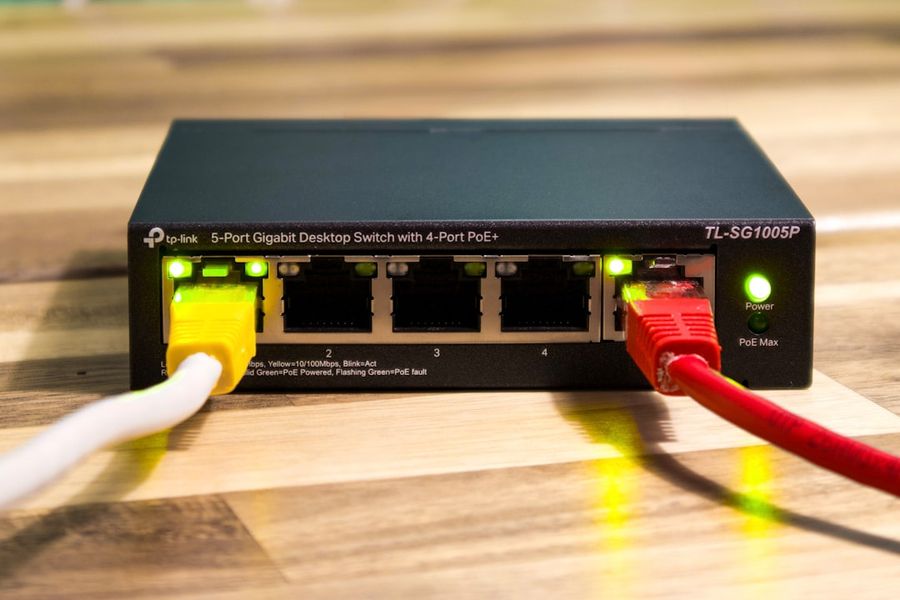
Connect your devices (computers, smartphones, smart TVs, etc.) to the network using Ethernet cables or wirelessly. Make sure each device has the correct network name (SSID) and password. If you’re using a switch, connect it to the router using an Ethernet cable and then connect your devices to the switch.
Step 4: Set Up Port Forwarding and Quality of Service (QoS)
Set up port forwarding to allow incoming traffic to specific devices on your network (e.g., online gaming consoles). Set up QoS to prioritize traffic for critical applications (e.g., video streaming). Consult your router’s manual for specific instructions on how to set up port forwarding and QoS.
Step 5: Secure Your Network
Change the default DNS server to a secure one (e.g., Google Public DNS). Enable the firewall on your router and set up a guest network for visitors. Regularly update your router’s firmware to ensure you have the latest security patches.
Step 6: Test Your Network
Test your network by browsing the internet, streaming videos, and playing online games. Check for any connectivity issues or slow speeds. Use online tools to test your network’s speed and latency.
Step 7: Troubleshoot Common Issues
If you encounter any issues, check the router’s lights for error indicators. Restart the router and modem to resolve connectivity issues. Check the Ethernet cables for damage or loose connections. Consult online forums or the router’s manual for troubleshooting guides.
Common Mistakes to Avoid
Avoid using default passwords and usernames for your router and devices. Don’t place your router in a corner or against a wall, as this can reduce wireless signal strength. Avoid overloading your network with too many devices, as this can slow down your internet speed.
Tips and Tricks
Use a range extender to boost your wireless signal in large homes. Set up a mesh network for a more reliable and efficient network. Use a network monitoring tool to track your network’s performance and identify potential issues.
Frequently Asked Questions
What is the difference between a router and a switch?
A router connects multiple networks together and routes traffic between them, while a switch connects multiple devices within a single network and forwards traffic between them.
How do I reset my router to its default settings?
Consult your router’s manual for specific instructions on how to reset it to its default settings. Usually, you can reset the router by pressing a small button on the back or bottom of the device.
Can I use a router and switch from different manufacturers?
Yes, you can use a router and switch from different manufacturers, as long as they are compatible with each other and support the same networking standards.
Conclusion
Setting up a home network using a router and switch can seem daunting, but with these step-by-step instructions, you should be able to get your network up and running in no time. Remember to avoid common mistakes, follow tips and tricks, and consult online resources if you encounter any issues. Happy networking!
Photo by User_Pascal on Unsplash


