
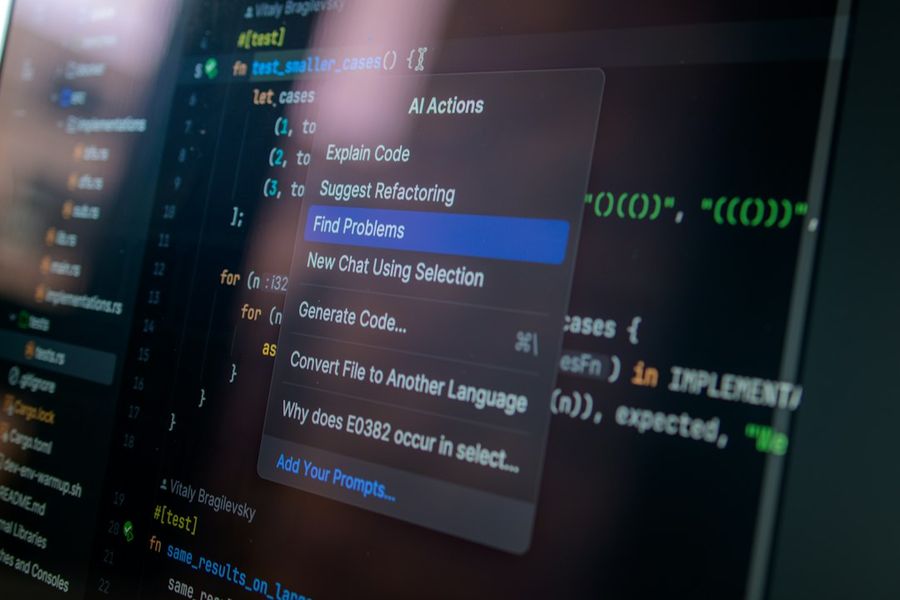
Documentation is the lifeblood of any sustainable software project, yet writing it manually can feel like a never‑ending chore. Fortunately, large‑language models such as ChatGPT can turn raw source code into well‑structured, human‑readable docs in a matter of seconds. This guide walks you through the entire workflow— from obtaining an API key to polishing the output and wiring it into your CI pipeline—so you can free up developer time while keeping your docs up‑to‑date.
What You’ll Need
- An active OpenAI API key (or access via Azure OpenAI)
- Python 3.9+ installed locally
- The
openaiPython package (or theopenaiCLI) - A codebase you own or have permission to analyze
- Basic familiarity with JSON and regular expressions
- A text editor or IDE (VS Code works great with the OpenAI extension)
Step 1: Set Up Your OpenAI Access
First, install the official client library and verify that your credentials work. Open a terminal and run:pip install openai
Then create a .env file in your project root containing:OPENAI_API_KEY=sk-YourSecretKeyHere
Load the variable in your Python script with python-dotenv or export it manually:export OPENAI_API_KEY=$(cat .env | grep OPENAI_API_KEY | cut -d '=' -f2)
Finally, test the connection:python -c "import openai, os; openai.api_key=os.getenv('OPENAI_API_KEY'); print(openai.Model.list())"
If you see a list of models, you’re ready to move on.
Step 2: Choose a Prompt Template
The quality of the generated docs hinges on the prompt you feed ChatGPT. A robust template includes three sections: (1) a brief description of the task, (2) the raw code snippet, and (3) explicit formatting instructions. For example:"""You are an expert software engineer. Write a concise, markdown‑formatted docstring for the following Python function. Include a one‑line summary, parameter list, return type, and a short example usage. Do not add any extra commentary.
{code_snippet}
"""
Store this template in a separate prompt.txt file so you can reuse it across languages and projects.
Step 3: Extract Source Code Elements
Before you can send anything to the model, you need to isolate the parts of the code that actually need documentation—functions, classes, public methods, and exported constants. Use a language‑specific parser (e.g., ast for Python or tree‑sitter for JavaScript). Below is a quick Python snippet that collects top‑level function definitions:import ast, pathlib
def get_functions(file_path):
tree = ast.parse(pathlib.Path(file_path).read_text())
return [node for node in ast.walk(tree) if isinstance(node, ast.FunctionDef)]
functions = get_functions('my_module.py')
for fn in functions:
src = ast.get_source_segment(open('my_module.py').read(), fn)
# send src to ChatGPT in the next step
This approach ensures you only send the minimal necessary context, keeping token usage low and response times fast.
Step 4: Call ChatGPT and Retrieve Documentation
Now you can invoke the model. The openai.ChatCompletion.create endpoint is the most flexible because it supports system and user messages. Here’s a minimal wrapper function that reads the prompt template, injects the code, and returns the generated docstring:import openai, os
def generate_doc(code_snippet, model="gpt-4o-mini"):
with open('prompt.txt') as f:
template = f.read()
prompt = template.format(code_snippet=code_snippet)
response = openai.ChatCompletion.create(
model=model,
messages=[{"role": "user", "content": prompt}],
temperature=0.2,
max_tokens=500,
)
return response.choices[0].message.content.strip()
Run the function for each extracted element and capture the output in a dictionary keyed by the original symbol name.
Step 5: Post‑Process the Output
Even the best model can produce minor formatting glitches—extra backticks, missing indentation, or stray whitespace. Use a simple post‑processor to clean the result before committing it. For Markdown docstrings you might apply:import re
def clean_doc(doc):
# Ensure triple‑quote block
if not doc.startswith('"""'):
doc = '"""n' + doc
if not doc.endswith('"""'):
doc = doc + 'n"""'
# Collapse multiple blank lines
doc = re.sub(r"n{3,}", "nn", doc)
return doc
After cleaning, write the docstring back into the source file using the same AST utilities you used for extraction, preserving original line numbers.
Step 6: Integrate Documentation into Your Project
Automation shines when you embed the generation step into your development workflow. Add a Makefile target or an npm script that runs the Python script across the repository, then commit the changes via a pre‑commit hook. Example Makefile entry:generate-docs:
@python scripts/generate_docs.py
And a simple Git pre‑commit hook (.git/hooks/pre-commit):#!/bin/sh
make generate-docs
git add .
Now every time a developer attempts a commit, the docs are refreshed automatically, keeping the codebase and its documentation in lockstep.
Common Mistakes to Avoid
1. **Sending Whole Files** – Uploading an entire source file overwhelms the model, burns tokens, and often yields generic docs. Always isolate the smallest logical unit (function or class).
2. **Using High Temperature** – A temperature above 0.4 introduces creativity at the cost of consistency. For documentation you want deterministic output, so keep it low (0.0‑0.2).
3. **Neglecting Rate Limits** – The OpenAI API enforces per‑minute request caps. Batch your calls or add exponential back‑off logic to avoid 429 errors.
4. **Skipping Post‑Processing** – Trusting the raw output can leave stray markdown or mismatched indentation, which breaks linting tools.
5. **Hard‑Coding Model Names** – Newer models (e.g., gpt‑4o‑mini) are cheaper and faster. Keep the model name configurable to benefit from future upgrades without code changes.
Tips and Tricks
• **Leverage Few‑Shot Examples** – Include one or two well‑crafted examples in the prompt to steer the style (e.g., Google‑style docstrings).
• **Cache Results** – Store generated docs in a local SQLite DB keyed by a hash of the source snippet. This avoids re‑generating unchanged docs and saves API spend.
• **Combine with Linting** – Run pydocstyle or eslint-plugin-jsdoc after generation to enforce project‑specific conventions.
• **Use Azure OpenAI for Enterprise** – If you need VNet isolation or custom quota, switch the endpoint to your Azure resource while keeping the same client code.
• **Document Edge Cases** – For overloaded functions or complex decorators, add a manual note in the prompt like “Explain any side‑effects or performance considerations.”
Frequently Asked Questions
Can I use ChatGPT to document languages other than Python?
Absolutely. The same workflow works for JavaScript, TypeScript, Go, Java, and even C++. You only need to swap the parser (e.g., esprima for JS or go/parser for Go) and adjust the prompt to reflect the target language’s docstring or comment conventions.
How do I keep my API costs under control?
Start with the smallest viable model (gpt‑4o‑mini or gpt‑3.5‑turbo) and set a strict max_tokens limit. Enable caching, batch multiple snippets into a single request when they fit under the token ceiling, and monitor usage through OpenAI’s usage dashboard. Adding a daily spend alert can prevent surprise bills.
What if the generated docstring is inaccurate?
LLMs are not infallible. Treat the output as a first draft, not a final guarantee. Run automated tests that compare the docstring’s described parameters and return types against the function signature. If mismatches appear, flag them for manual review or feed the discrepancy back into the prompt as a correction example.
Conclusion
By pairing a solid prompt template with lightweight code extraction, a thin Python wrapper, and a few post‑processing steps, you can turn ChatGPT into a reliable co‑author for your code documentation. The result is faster onboarding, fewer knowledge gaps, and a documentation pipeline that evolves alongside your code. Adopt the steps outlined above, avoid the common pitfalls, and you’ll soon have a self‑maintaining doc system that lets developers focus on building features rather than writing repetitive comments.
Photo by Daniil Komov on Unsplash


