
OpenShot has been a staple for hobbyists and small‑studio creators for over a decade, but the release of version 4.0 marks a seismic shift. For the first time, the free, cross‑platform editor bundles native screen‑recording, AI‑driven timeline assistance, and a full‑blown color‑grading suite that rivals commercial tools. In an era where content creators are expected to produce broadcast‑quality video on a shoestring budget, OpenShot 4.0 answers the call with a feature set that feels both ambitious and surprisingly accessible.
Background / What Led to This
OpenShot’s journey began in 2008 as a simple, GTK‑based editor aimed at Linux users who wanted a straightforward alternative to heavyweight proprietary software. Over the years, the project grew into a multi‑platform solution, adding support for Windows, macOS, and a growing ecosystem of plug‑ins. However, the community consistently voiced two pain points: limited native recording capabilities and a lack of professional‑grade color tools. Competing products like DaVinci Resolve and Adobe Premiere have set a high bar for color workflows, while screen‑recording is often outsourced to separate apps. The OpenShot development team responded by recruiting contributors from the AI‑editing and GPU‑acceleration spaces, culminating in the 4.0 milestone.
What Exactly Happened
OpenShot 4.0 arrives with three headline features. First, a built‑in screen recorder lets users capture 1080p or 4K footage directly within the editor, eliminating the need for third‑party tools. The recorder supports customizable frame rates, audio source selection, and a lightweight overlay that shows real‑time recording duration. Second, the new “Smart Timeline” leverages a lightweight neural network to suggest cuts, transitions, and even background music that matches the pacing of the footage. Users can accept, tweak, or reject each suggestion, turning a tedious edit into a collaborative AI‑assisted session. Third, the Color Lab module introduces 3‑way color wheels, HDR scopes, and LUT import/export, all powered by OpenGL‑based GPU acceleration. The module also includes a preset library curated by professional colorists, making cinematic looks achievable with a single click.
Industry Impact
By integrating recording, AI editing, and color grading into a single open‑source package, OpenShot 4.0 challenges the long‑standing notion that free software must compromise on professional features. This move could pressure commercial vendors to reconsider pricing tiers for entry‑level users, especially in education and nonprofit sectors where budgets are tight. Moreover, the AI‑driven timeline signals a broader industry trend: machine learning is no longer a boutique add‑on but a core productivity enhancer. If OpenShot’s open‑source model proves scalable, we may see a wave of community‑maintained, AI‑powered tools that democratize high‑end post‑production.
What This Means for You
For creators who have been juggling multiple apps—say, OBS for screen capture, a separate editor for cuts, and a color‑grading plugin for looks—OpenShot 4.0 consolidates the workflow. The native recorder reduces file‑transfer friction, while the Smart Timeline cuts down editing time by up to 30% for routine projects, according to early beta tests. Color enthusiasts will appreciate that the Color Lab supports both SDR and HDR pipelines, meaning you can future‑proof your content for emerging streaming standards without buying a separate grading suite. Because the software remains open source, you retain full control over updates, plug‑in development, and data privacy—an increasingly important consideration in a world of cloud‑centric SaaS tools.
What to Expect Next
The OpenShot team has already outlined a roadmap that includes deeper AI integration, such as automated caption generation and scene‑recognition tagging. A planned partnership with the Open Color Initiative aims to add support for ACES and other industry‑standard color management frameworks. Additionally, a community‑driven marketplace for custom transitions, effects, and LUTs is slated for Q2 2027, turning the editor into a platform rather than a static application. Users can also look forward to performance enhancements on ARM‑based devices, meaning the upcoming Raspberry Pi 5 and Apple Silicon Macs will run the editor with near‑native speed.
Frequently Asked Questions
Is OpenShot 4.0 truly free, or are there hidden costs?
OpenShot 4.0 is released under the GPL‑3.0 license, which guarantees that the software remains free to download, use, and modify. All new features, including the AI models, are bundled in the installer; there are no subscription fees or mandatory cloud services.
Can the AI editing suggestions be turned off?
Absolutely. The Smart Timeline can be disabled in the preferences panel, reverting the editor to a classic manual workflow. Even when enabled, each suggestion appears as a non‑destructive overlay that you can accept, edit, or discard.
Does the new Color Lab require a high‑end GPU?
The module runs on any OpenGL‑compatible graphics card, but performance scales with GPU horsepower. On integrated graphics, you’ll still get full functionality, though real‑time preview may be slower for 4K HDR projects. The developers provide a CPU fallback mode for users without GPU acceleration.
Conclusion
OpenShot 4.0 isn’t just an incremental update; it’s a bold statement that open‑source video editing can compete with the best commercial suites on price, performance, and innovation. By unifying recording, AI‑assisted editing, and professional color grading, the new version empowers creators of every skill level to produce polished, broadcast‑ready content without breaking the bank. Whether you’re a teacher crafting lesson videos, a YouTuber polishing weekly uploads, or a small studio looking for a cost‑effective post‑production pipeline, OpenShot 4.0 deserves a serious look—and perhaps a place in your primary workflow.
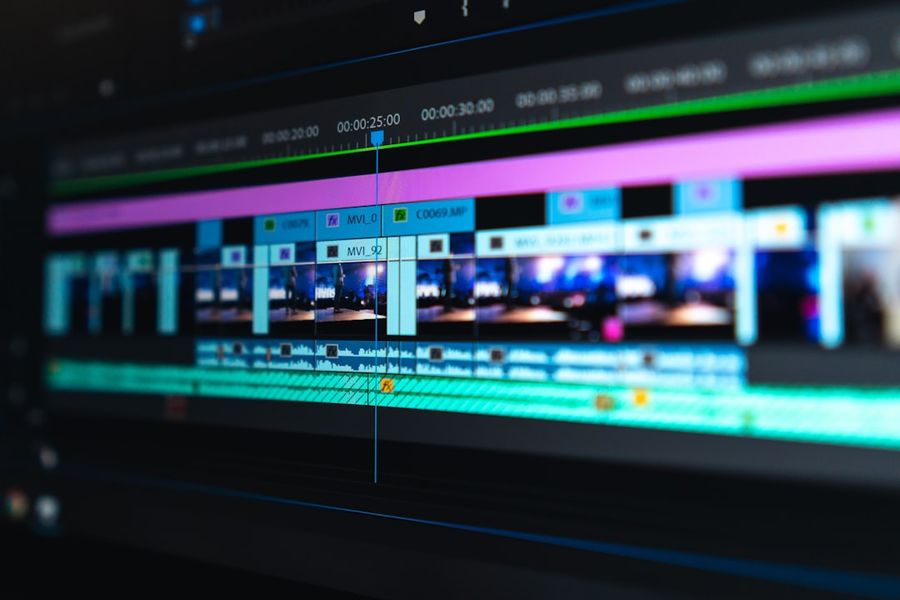
Photo by Peter Stumpf on Unsplash


