
Welcome to our guide on setting up a home security system using IoT devices. In today’s world, home security is more important than ever, and with the advancements in IoT technology, it’s become easier and more affordable to secure your home. In this article, we’ll walk you through a step-by-step guide on how to set up a home security system using IoT devices.
What You’ll Need
- IoT devices such as security cameras, door sensors, and motion detectors
- A hub or central control unit to connect all the devices
- Internet connection
- A smartphone or tablet to control and monitor the system
- Power sources for all the devices
Step 1: Plan Your Security System
Before you start setting up your security system, it’s essential to plan it out. Determine which areas of your home you want to secure, and what type of devices you’ll need. Consider the number of doors and windows, and the layout of your home. Make a list of the devices you’ll need and their corresponding locations.
Step 2: Choose Your Devices
With so many IoT devices available on the market, it can be overwhelming to choose the right ones. Look for devices that are compatible with your hub or central control unit, and that have good reviews and ratings. Some popular IoT devices for home security include the August Smart Lock, the Nest Cam, and the Ring Video Doorbell.
Step 3: Set Up Your Hub or Central Control Unit
Your hub or central control unit is the brain of your security system, connecting all the devices together. Follow the manufacturer’s instructions to set it up, and make sure it’s connected to your internet network. The most common hubs include Samsung SmartThings, Apple HomeKit, and Wink Hub.
Step 4: Install Your Devices
Once you’ve set up your hub, it’s time to install your devices. Follow the manufacturer’s instructions for each device, and make sure they’re securely fastened to the walls or doors. For example, to install a security camera, you’ll typically need to screw it into the wall and connect it to a power source.
Step 5: Connect Your Devices to the Hub
Now that your devices are installed, it’s time to connect them to your hub. This will typically involve downloading an app and following the in-app instructions. The app will guide you through the process of connecting each device to the hub, and configuring the settings. For instance, you may need to enter a password or scan a QR code to connect a device.
Step 6: Configure Your System Settings
With all your devices connected, it’s time to configure your system settings. This will include setting up alerts and notifications, as well as customizing the settings for each device. You may also want to set up scenes or routines, which allow you to control multiple devices with a single command. For example, you could set up a ‘goodnight’ scene that locks all the doors and turns off the lights.
Step 7: Test Your System
Before you consider your system fully set up, it’s essential to test it. This will involve triggering each device to make sure it’s working correctly, and checking that the alerts and notifications are being sent to your smartphone or tablet. You should also test the system’s response to different scenarios, such as a door being opened or a motion being detected.
Common Mistakes to Avoid
When setting up a home security system using IoT devices, there are several common mistakes to avoid. One of the most common mistakes is not securing your system with a strong password. This can leave your system vulnerable to hacking, which can compromise your home’s security. Another common mistake is not keeping your devices and hub up to date with the latest software and firmware updates. This can leave your system open to security vulnerabilities and bugs.
Tips and Tricks
Here are a few tips and tricks to get the most out of your home security system. One tip is to use a combination of devices to create a comprehensive security system. For example, you could use security cameras to monitor the outside of your home, and door sensors to monitor the inside. Another tip is to use automation to make your system more convenient and efficient. For instance, you could set up a routine that turns on the lights when you enter a room, or locks the doors when you leave the house.
Frequently Asked Questions
What is the best hub for a home security system?
The best hub for a home security system will depend on your specific needs and the devices you’re using. Some popular hubs include Samsung SmartThings, Apple HomeKit, and Wink Hub. When choosing a hub, consider the compatibility with your devices, the ease of use, and the level of security it provides.
How do I keep my system secure?
To keep your system secure, make sure to use a strong password and keep your devices and hub up to date with the latest software and firmware updates. You should also use two-factor authentication whenever possible, and limit access to your system to only those who need it.
Can I use my home security system with voice assistants like Alexa or Google Home?
Yes, many home security systems are compatible with voice assistants like Alexa or Google Home. This allows you to control your system with voice commands, making it more convenient and hands-free. For example, you could say ‘Alexa, turn on the living room lights’ or ‘Google, lock the front door’.
Conclusion
Setting up a home security system using IoT devices is easier than ever, and with this guide, you’ll be well on your way to securing your home and protecting your family. Remember to plan your system carefully, choose the right devices, and configure your settings to get the most out of your system. With the right system in place, you’ll have peace of mind knowing that your home is secure and protected.
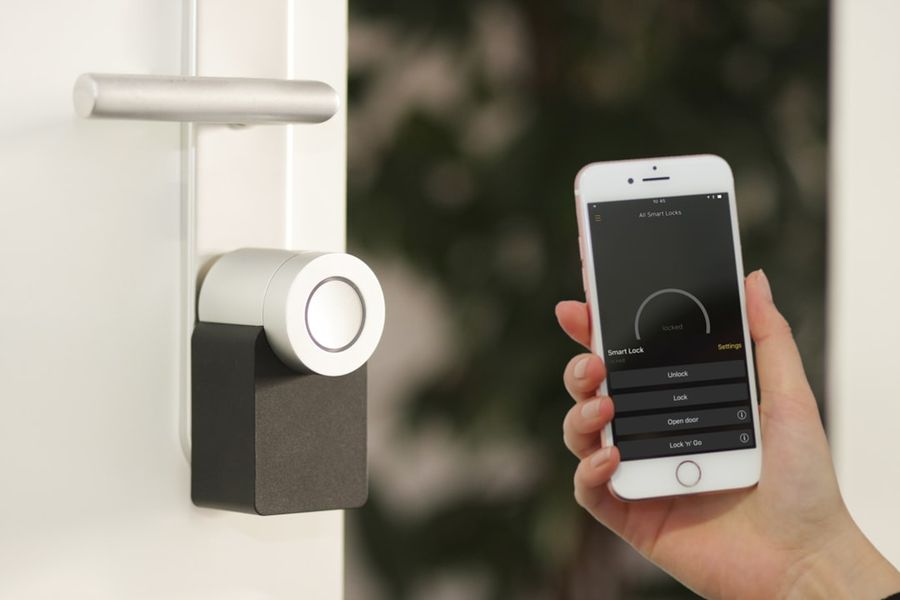
Photo by Sebastian Scholz (Nuki) on Unsplash


