
Serverless computing is reshaping how developers build and run applications. With AWS Lambda, you can execute code without provisioning or managing servers, paying only for the compute time you actually use. If you’re new to the cloud or just getting comfortable with Python, this guide will walk you through every step needed to create, package, and deploy a simple Python function on AWS Lambda. By the end, you’ll have a working endpoint you can invoke manually or hook into other AWS services.
What You’ll Need
- A free or paid AWS account
- Python 3.9+ installed locally
- A command‑line interface (CLI) – Bash, PowerShell, or CMD
- A text editor or IDE (VS Code, PyCharm, etc.)
- A basic understanding of functions and JSON
Step 1: Set Up the AWS CLI and Configure Credentials
First, install the AWS Command Line Interface if you haven’t already. On macOS or Linux, run curl "https://awscli.amazonaws.com/awscli-exe-linux-x86_64.zip" -o "awscliv2.zip" && unzip awscliv2.zip && sudo ./aws/install. Windows users can download the MSI installer from the AWS website. After installation, verify with aws --version. Next, configure your credentials by running aws configure and entering your Access Key ID, Secret Access Key, default region (e.g., us-east-1), and output format (json). This creates ~/.aws/credentials and ~/.aws/config files that the CLI will use for all subsequent commands.
Step 2: Write a Simple Python Function
Create a new project folder, for example lambda-demo. Inside it, add a file called lambda_function.py with the following code:
import json

def lambda_handler(event, context):
    """AWS Lambda entry point.
    Returns a greeting and echoes the received event.
    """
    name = event.get('name', 'World')
    response = {
        'statusCode': 200,
        'body': json.dumps({
            'message': f'Hello, {name}!',
            'input': event
        })
    }
    return response
This function expects a JSON payload with an optional name field and returns a JSON response. Save the file and keep the folder structure simple – AWS Lambda looks for a file named lambda_function.py by default, but you can change the handler name later.
Step 3: Create a Virtual Environment and Install Dependencies
Even if your function has no external libraries now, it’s good practice to isolate dependencies. Run:
python3 -m venv venv
source venv/bin/activate   # On Windows: venvScriptsactivate
pip install --upgrade pip
If you later add packages (e.g., requests), install them inside this environment. When you’re ready to package, the site-packages directory will be included automatically.
Step 4: Package the Function for Deployment
AWS Lambda expects a ZIP file containing your code and any third‑party libraries at the root level. With no extra libraries, you can simply zip the Python file:
deactivate   # exit the virtual env if it’s still active
zip -r function.zip lambda_function.py
If you added dependencies, copy the contents of venv/lib/python3.9/site-packages/ (adjust the path for your OS) into the same folder before zipping:
cp -r venv/lib/python3.9/site-packages/* .
zip -r function.zip .
Make sure function.zip is under 50 MB for a direct upload; larger packages require an S3 bucket.
Step 5: Create an IAM Role for Lambda Execution
A Lambda function needs permission to run and, optionally, to access other AWS services. Create a minimal role with the AWS‑managed policy AWSLambdaBasicExecutionRole:
aws iam create-role
  --role-name lambda-basic-exec
  --assume-role-policy-document '{"Version":"2012-10-17","Statement":[{"Effect":"Allow","Principal":{"Service":"lambda.amazonaws.com"},"Action":"sts:AssumeRole"}]}'

aws iam attach-role-policy
  --role-name lambda-basic-exec
  --policy-arn arn:aws:iam::aws:policy/service-role/AWSLambdaBasicExecutionRole
Take note of the Role ARN returned by the first command; you’ll need it when creating the function.
Step 6: Deploy the Function Using the AWS CLI
Now you can create the Lambda function. Replace {ROLE_ARN} with the ARN from the previous step:
aws lambda create-function
  --function-name HelloWorldPython
  --runtime python3.9
  --role {ROLE_ARN}
  --handler lambda_function.lambda_handler
  --zip-file fileb://function.zip
  --description "A beginner-friendly hello world Lambda written in Python"
  --timeout 10
  --memory-size 128
If the command succeeds, you’ll see a JSON response containing the function’s ARN, last modified timestamp, and other metadata. Test it immediately with a sample payload:
aws lambda invoke
  --function-name HelloWorldPython
  --payload '{"name":"Teknozof"}'
  response.json

cat response.json
The file response.json should contain something like:
{"statusCode":200,"body":"{"message":"Hello, Teknozof!","input":{"name":"Teknozof"}}"}
Congratulations! Your Python code is now running in a serverless environment.
Common Mistakes to Avoid
1. Incorrect handler name: The handler follows the pattern file_name.function_name. If your file is app.py and the function is handler, the value should be app.handler. 2. Missing dependencies in the ZIP: Forgetting to include site‑packages leads to ImportError at runtime. Always test locally in the same environment. 3. Role permission errors: Using a role without AWSLambdaBasicExecutionRole causes “AccessDeniedException”. Attach the policy or add custom permissions as needed. 4. Package size limits: Direct uploads are limited to 50 MB (zipped). Larger packages must be uploaded to S3 first. 5. Region mismatches: Deploying a function in us-west-2 while your CLI default region is us-east-1 will create the function in the wrong place, making subsequent invoke calls fail.
Tips and Tricks
• Use sam local invoke (part of AWS SAM) to test Lambda functions locally with Docker, mimicking the exact execution environment.
• Enable environment variables via the CLI (--environment Variables={KEY=VALUE}) to keep secrets out of code.
• Set up CloudWatch Logs alerts for error patterns; the basic execution role already streams logs to CloudWatch.
• For frequent updates, consider using aws lambda update-function-code instead of recreating the function.
• If you plan to expose the function via HTTP, pair it with Amazon API Gateway; the integration is just a few clicks in the console.
Frequently Asked Questions
Do I need to pay for AWS Lambda?
AWS offers a free tier of 1 million requests and 400,000 GB‑seconds of compute per month. Beyond that, you pay per request ($0.20 per 1 M) and per GB‑second ($0.00001667). For small test projects, you’ll likely stay within the free tier.
Can I use other Python versions?
Yes. AWS currently supports Python 3.8, 3.9, and 3.10. Choose the runtime that matches your local development environment to avoid compatibility surprises.
How do I update the function code after the initial deployment?
Re‑zip your updated files and run:
aws lambda update-function-code
  --function-name HelloWorldPython
  --zip-file fileb://function.zip
The function version increments automatically, and any aliases you’ve set will point to the new code.
Conclusion
Deploying a Python function to AWS Lambda is straightforward once you understand the packaging, IAM, and CLI steps. By following this guide, you’ve created a fully functional serverless endpoint, learned how to avoid common pitfalls, and picked up a few best‑practice tips for future projects. From here, you can expand the function, connect it to API Gateway, or integrate it with other AWS services like S3 or DynamoDB. The serverless world is vast—happy coding!
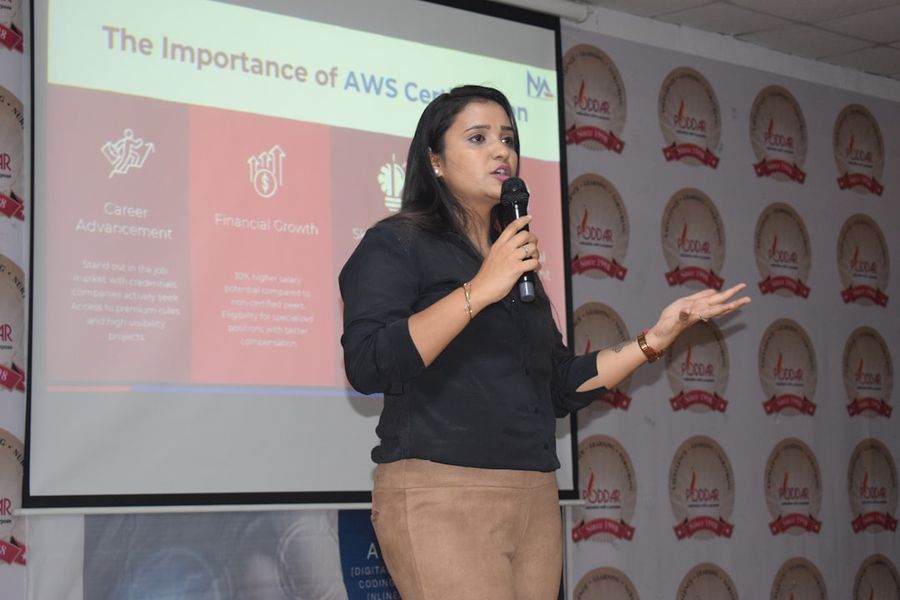
Photo by Poddar Group of Institutions on Unsplash